


Understand Zephyr
Useful when…
- Staying airborne while moving between groups and attacking with weapons.
- Redirecting incoming projectiles with Turbulence.
- Pulling enemies together with a tapped Airburst or scattering them with a held Airburst.
- Using Tornadoes to engulf enemies and shooting those targets.
How do her abilities work?
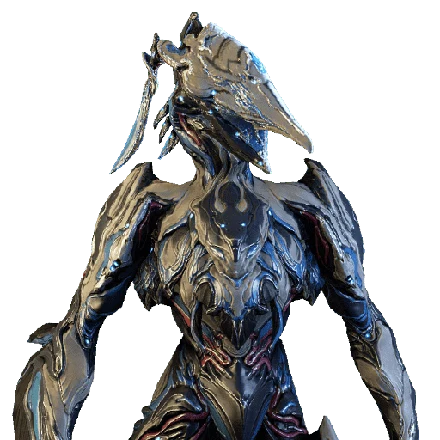
Tail Wind has distinct airborne controls: hold to hover with reduced movement, tap to dash forward, or aim down and tap to dive-bomb enemies below. Airburst also has two functions: tap to pull enemies toward its burst, or hold to send them flying. Its damage increases for each enemy hit, so a clustered group gives the burst more opportunities to scale. Turbulence creates a wind shield that redirects incoming projectiles. Tornado creates tornadoes that seek out and engulf enemies; they deal the elemental damage type they absorb most. Shoot enemies engulfed by a tornado to inflict extra damage. Hold Tornado for stationary tornadoes or tap for wandering ones. Her passive makes her move faster and fall more slowly while airborne, and grants weapon critical-hit chance while airborne; the amount is unspecified here.
When should I use her airborne tools and crowd control?
Airborne movement is central to her passive and Tail Wind, so use hover or dash when you want to maintain height and reposition. Dive-bomb when enemies are below and a downward attack fits the situation. Airburst's tap mode groups enemies for follow-up attacks, while its hold mode disperses them when pushing targets away is useful. Tornado's stationary setting suits holding an area; its wandering setting lets the tornadoes seek targets. Because tornado damage follows the elemental type they absorb most, shoot engulfed enemies to capitalize on the stated extra damage rather than assuming the tornado always uses one fixed type.
What does her equipment profile support?
Zephyr has 455 health, 455 shields, 105 armor, 100 power, and a sprint speed of 1.1. Her listed polarities are Madurai and Naramon, with a Vazarin aura polarity. These values and slots describe her starting frame profile; the available facts do not specify a particular mod setup or ability scaling, so prioritize equipment according to whether you want to emphasize airborne weapon use, crowd control, or projectile redirection.
What are the limits and likely mistakes?
Turbulence is described as redirecting incoming projectiles; do not treat that statement as protection from every kind of incoming damage. Airburst's pull and knock-away are different inputs, and Tail Wind's hover slows movement. Tornado damage depends on the elemental type absorbed most, while the extra damage condition specifically calls for shooting engulfed enemies. Her airborne weapon critical bonus has no numeric value in the available description, so avoid assuming a specific increase.
How does Zephyr compare with her Prime version?
Zephyr Prime shares the same listed abilities and airborne passive. The supplied stats show the Prime version with 135 armor rather than Zephyr's 105, the same 455 health and shields, 175 power rather than 100, and sprint speed 1.15 rather than 1.1. Its listed polarities also differ. These are concrete profile differences; they do not by themselves establish a universal preference or a damage result.
Limitations and tradeoffs
- The kit encourages airborne play, which can make grounded positioning less aligned with her passive benefits.
- Airburst's displacement is conditional on input: pulling enemies together and sending them away serve different purposes.
- Turbulence is specified for projectiles, not all damage types.
Common mistakes to avoid
- Holding Airburst sends enemies flying; tap it to pull them toward the burst.
- Assuming Turbulence redirects non-projectile damage as well.
- Expecting Tornado to have a fixed elemental type instead of the type it absorbs most.
- Forgetting that Tail Wind hover reduces movement and that her passive benefits apply while airborne.